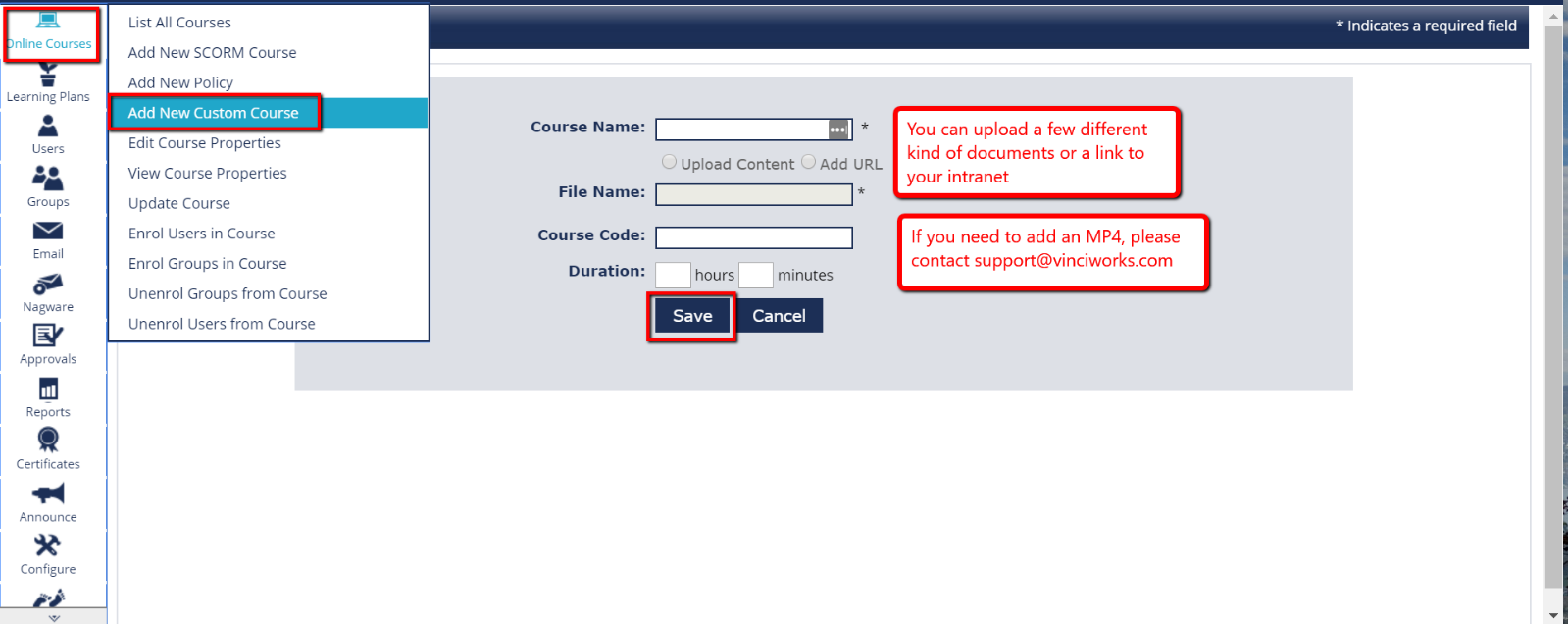
- Select “Online Courses” from the Menu bar on the left of the page, and select “Add New Custom Course”
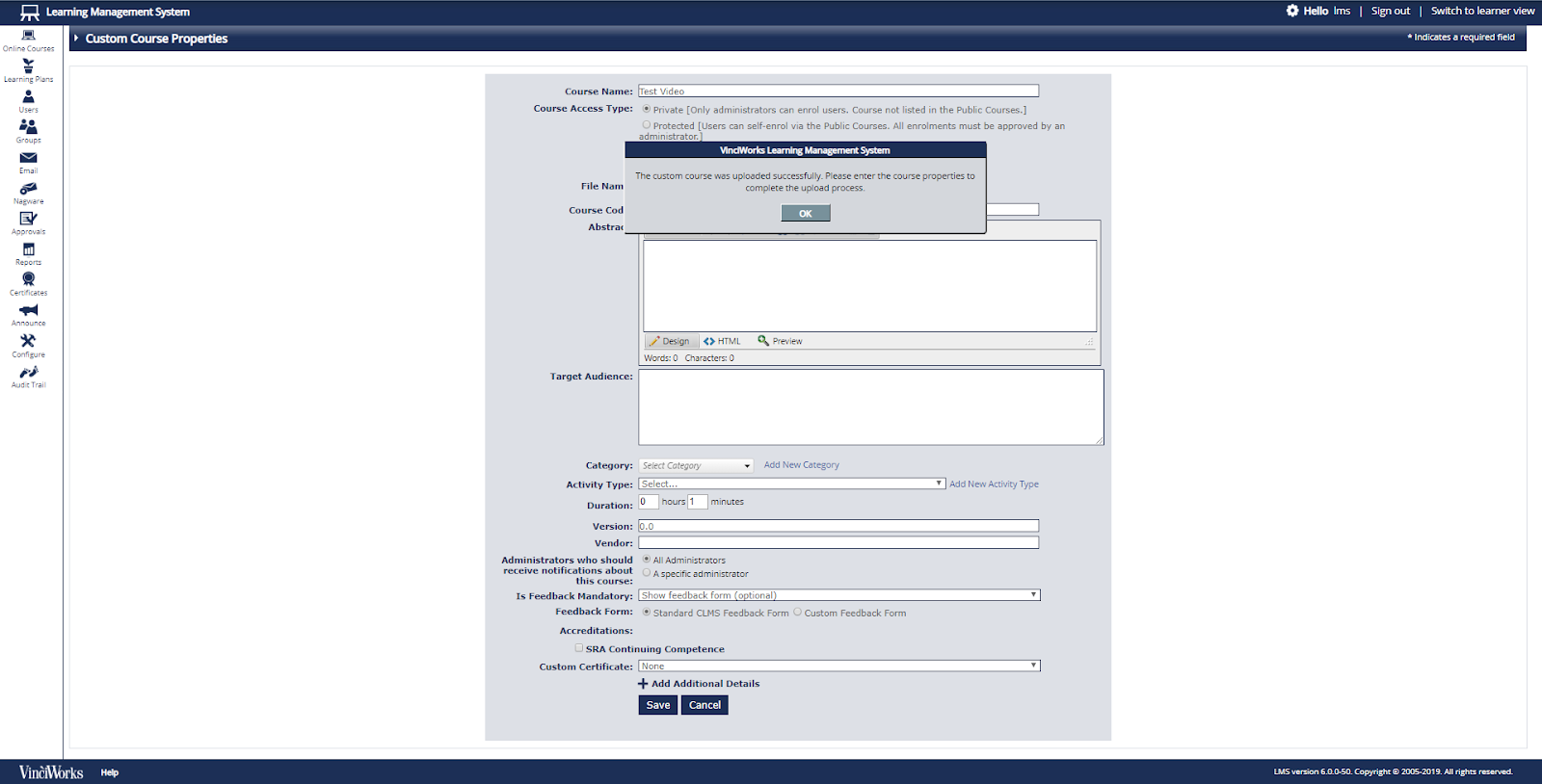
- Fill in the Course Name, and then select the type of file/link you would like to upload. You may enter a Course Code and duration, but they are not mandatory. Click “Save”.
- Once you have clicked Save, a new page will open where you can provide additional information about the course. Once completed, click “Save” to be returned to your course list.