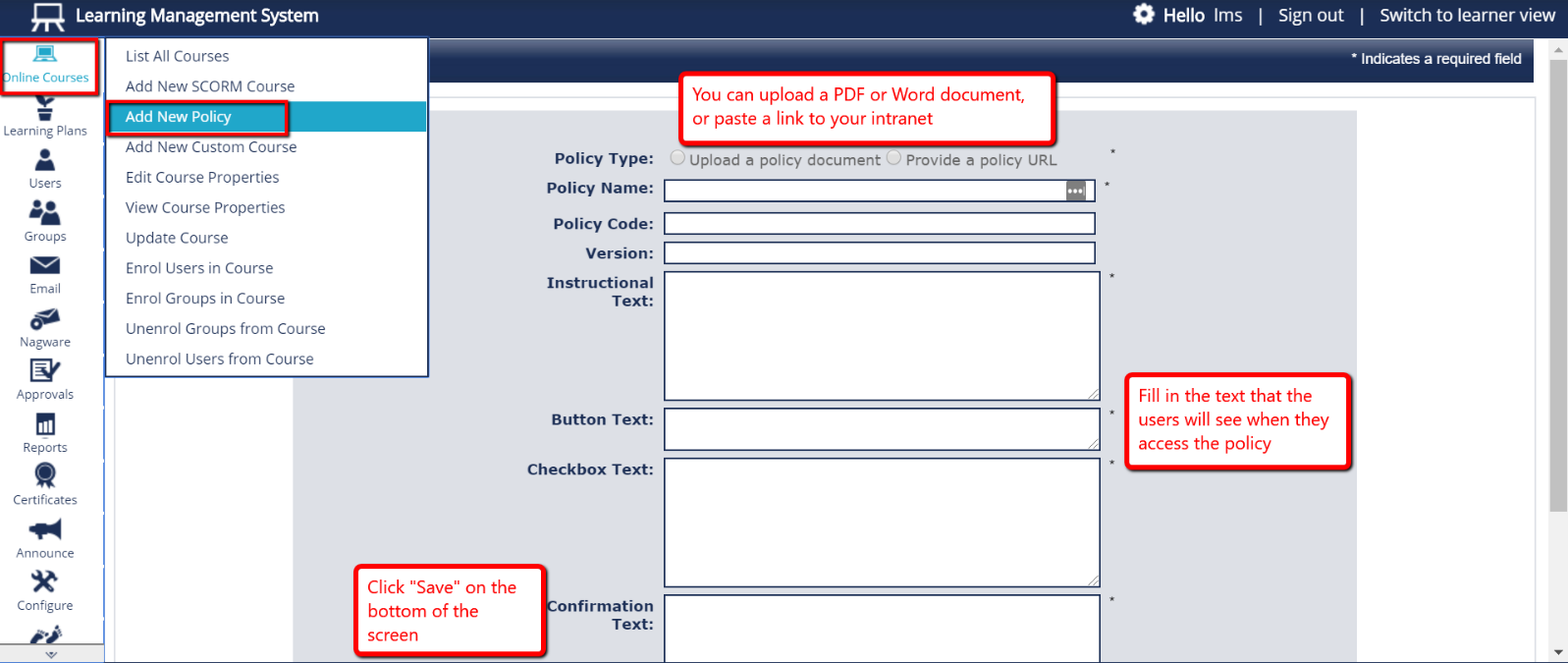
- From the menu on the left side of the page, select “Online Courses”, and then select “Add New Policy”.
- For the first field, either choose to “Upload a policy document” (.pdf or .doc) or choose “Provide a policy URL”. If you select “Provide a policy URL”, a new field will appear that will allow you to paste a link to your policy.
- Fill in the remaining fields to customise the text the users will see when they access the policy.
- When finished, click “Save” at the bottom of the page.