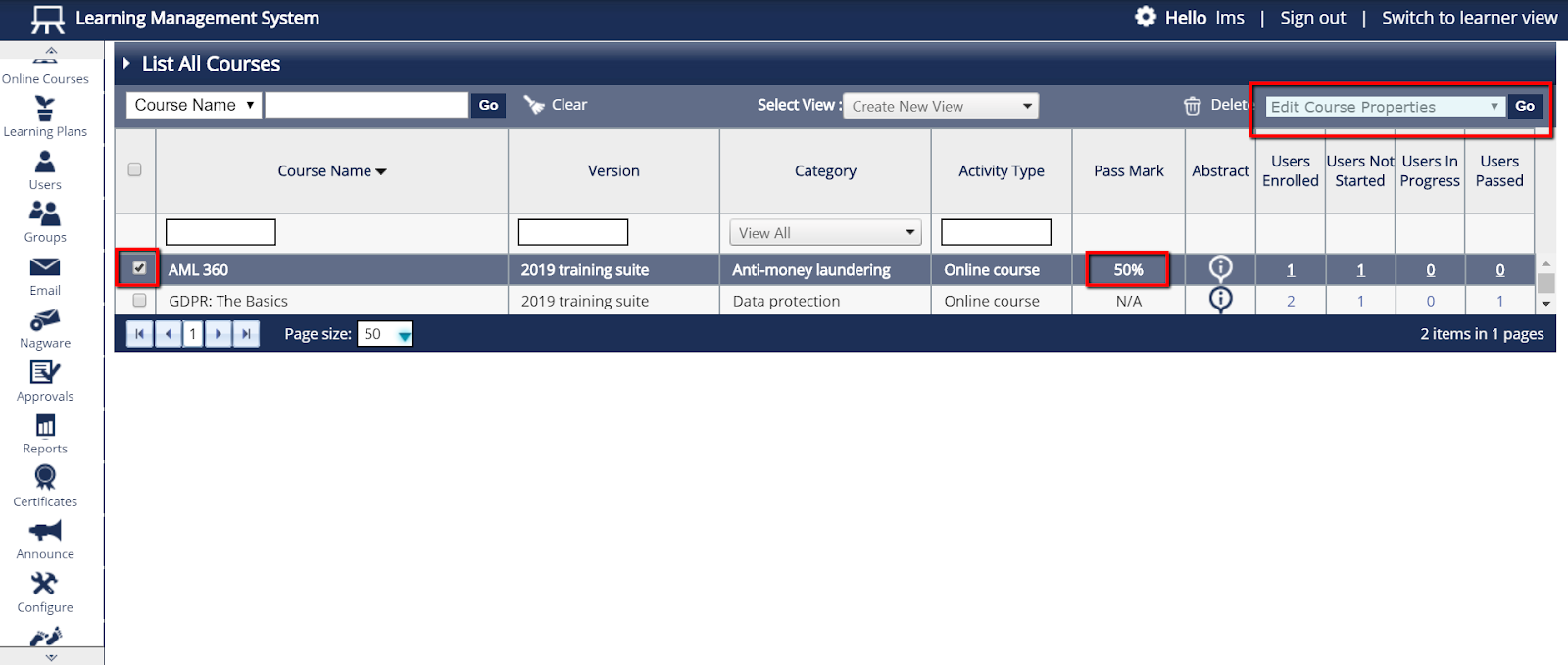
- To find the course whose passmark needs to be changed, please locate it by selecting “Online Courses” and then “List All Courses.”
- Tick the box next to the course and in the “Select An Action” box in the upper right, choose “Edit Course Properties”and click “Go”.
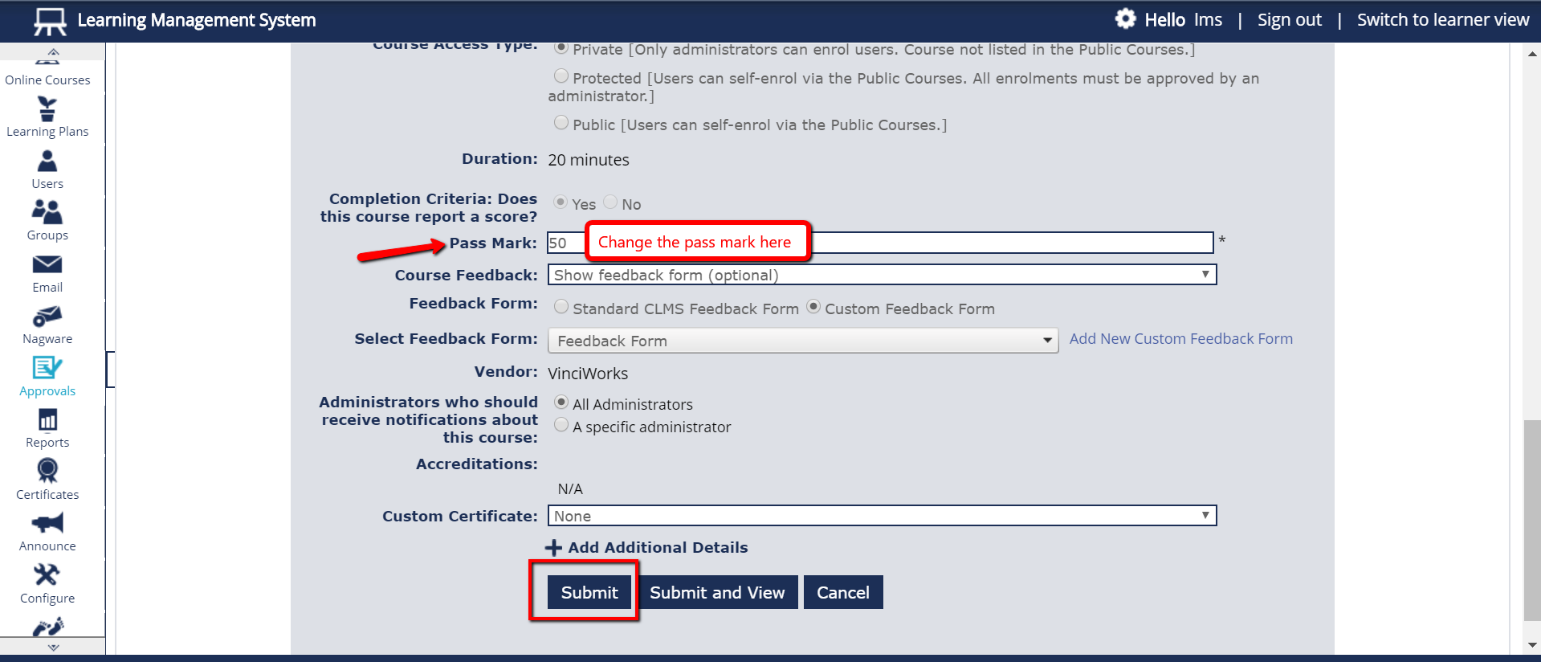
- Find the field next to “Pass Mark” and change the number to the desired percentage to pass. Don’t forget to click “Submit” at the bottom of the page.