
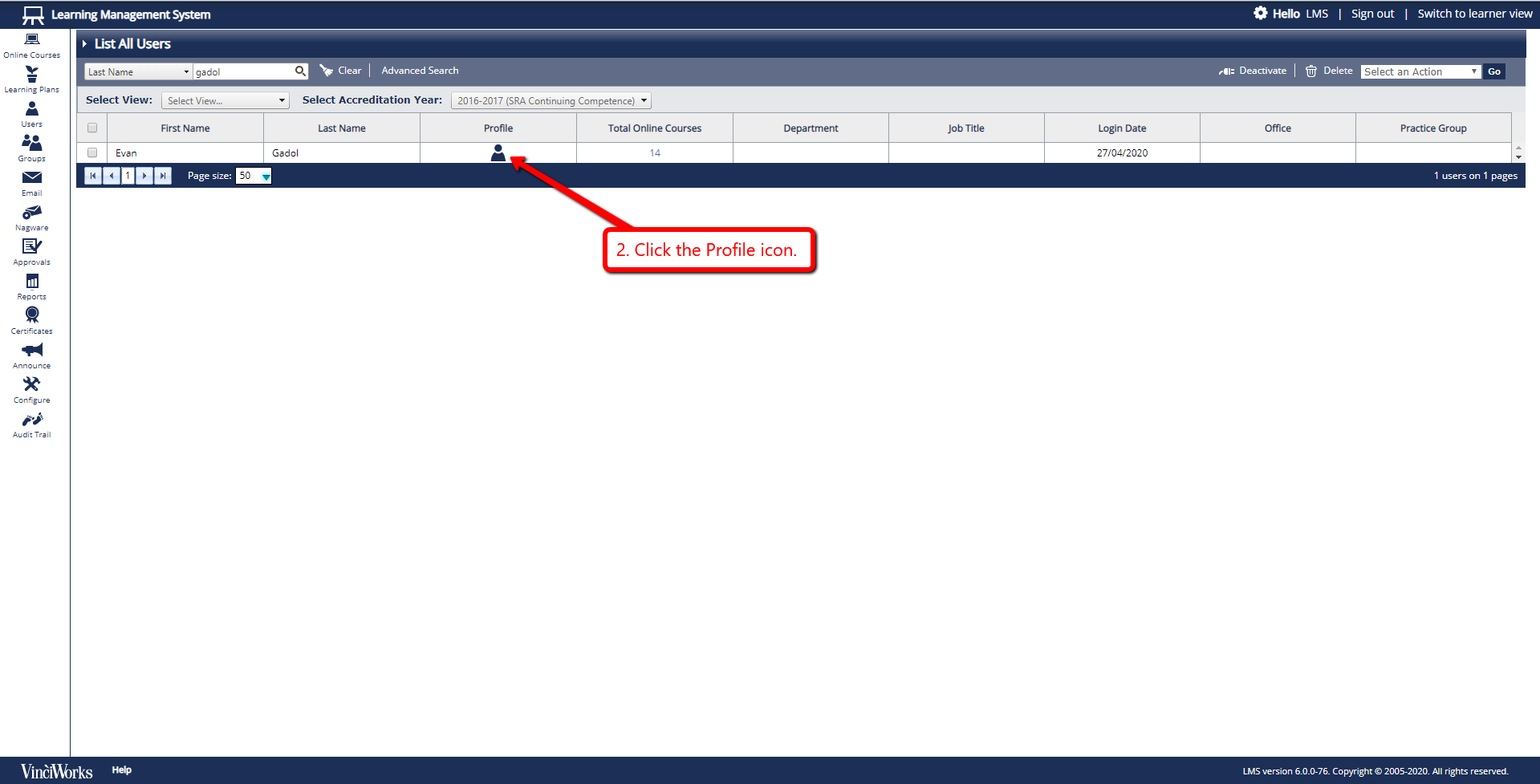
- From the menu on the left side of the page, select “Users”, then select “List All Users”.
- Click the Profile icon -or- tick the box next to the user you would like to check, then from the drop down menu, select "View user".
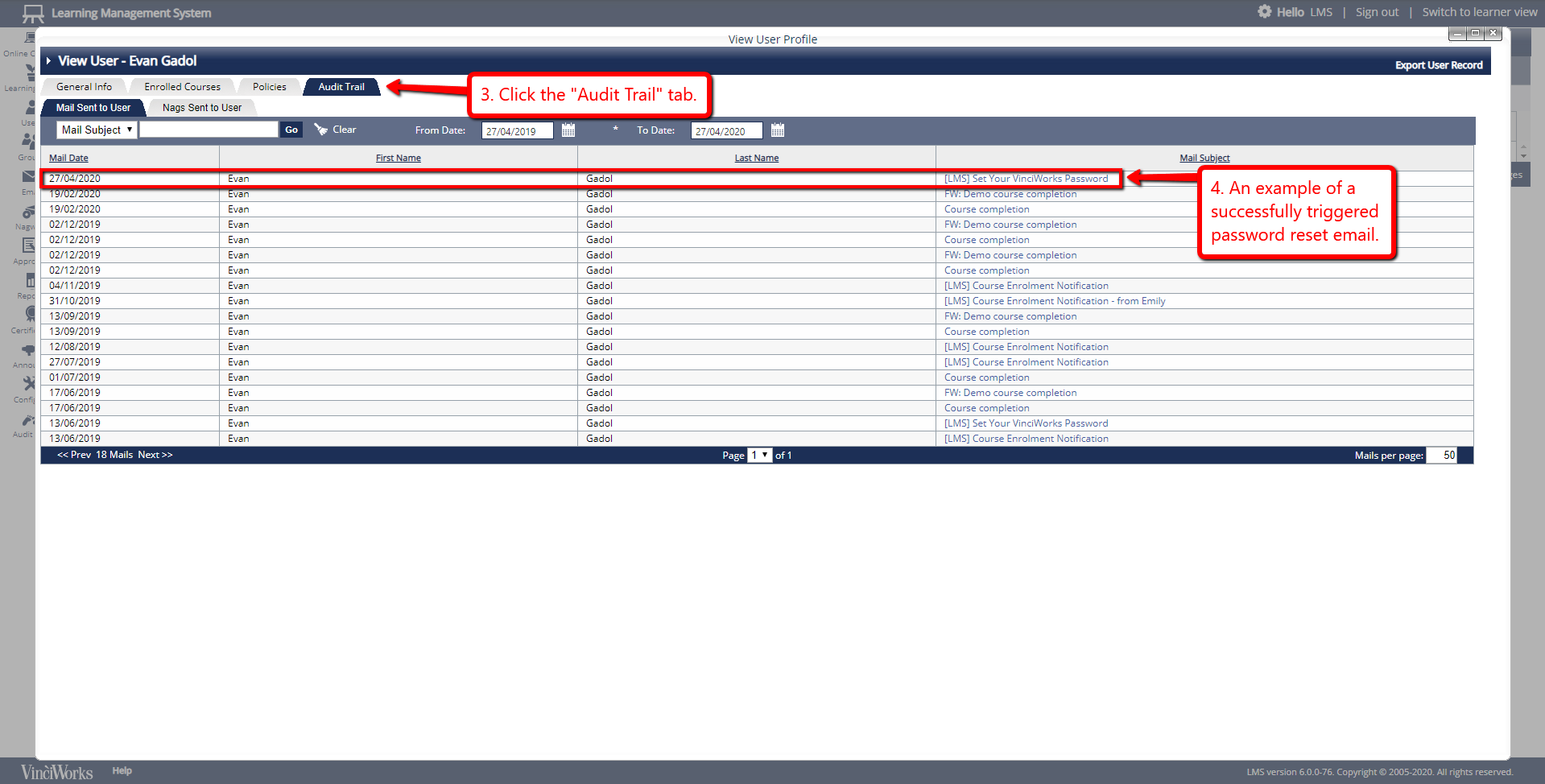
- Click on the "Audit Trail" tab of the user profile.
- If you can see an email with the subject “Set Your VinciWorks Password” (or something similar) from the day in question, that means the user successfully triggered a password reset email. If you do not see that email, they have not actioned this successfully.
- To trigger that email for one of your users, please click here for step-by-step instructions.