
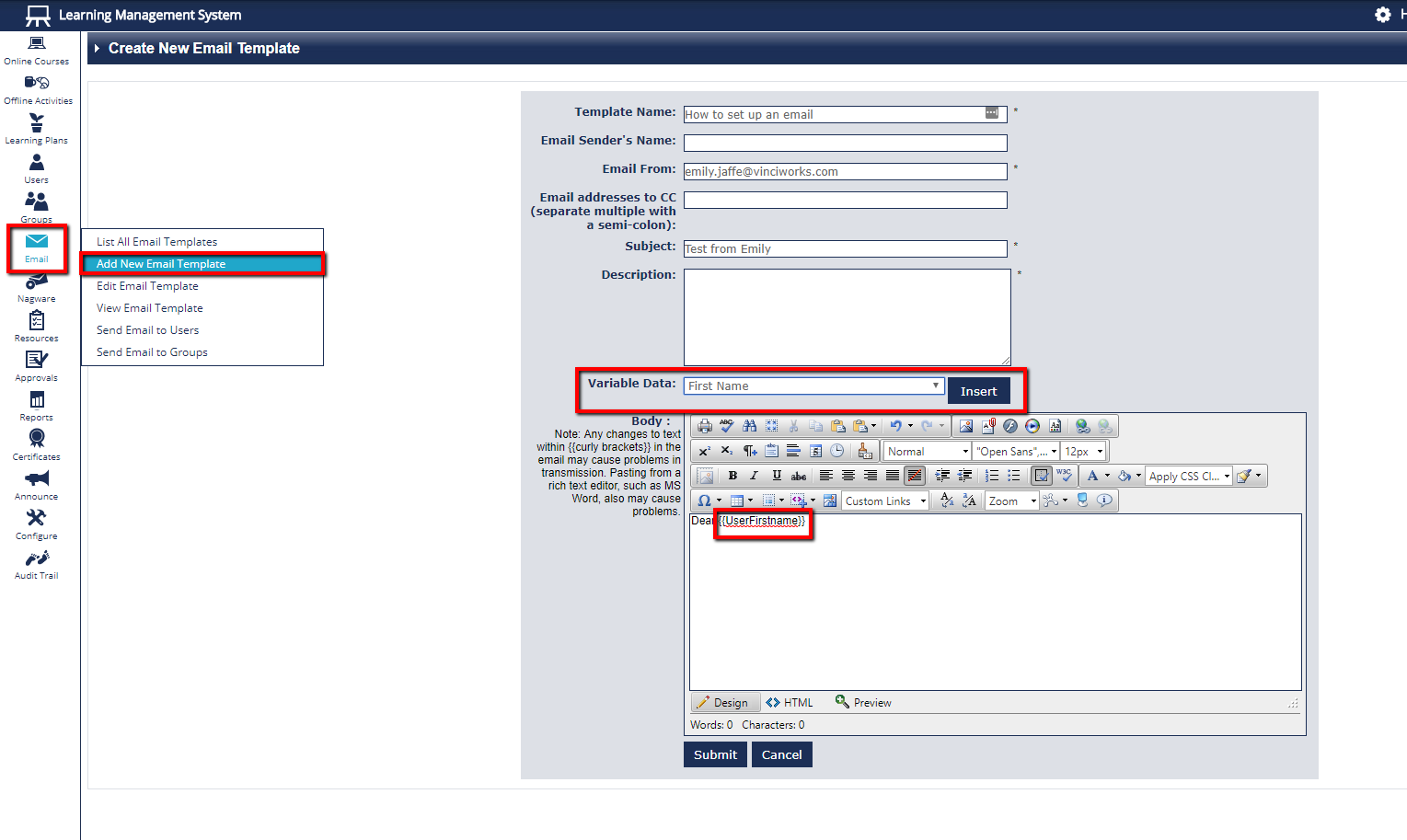
1. Click "Email", and select "Add New Email Template"
Please note
All fields with an asterisk (*) are mandatory
‘Variable Data’: Allows you to put in certain information automatically. For example, inserting as a data variable will pull in the first name of everyone you send the email to.
will add the website of your LMS
will add their username
will add the course name IF used in an enrolment procedure