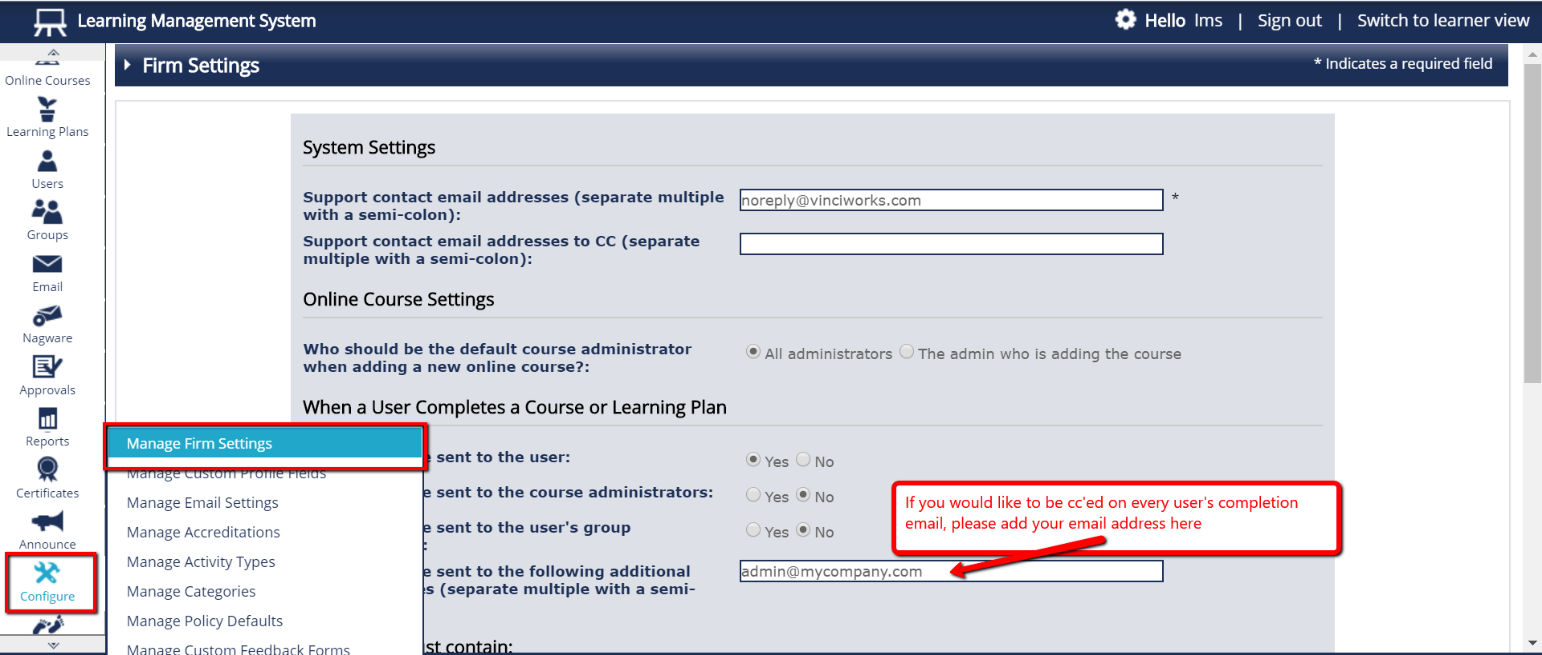
- When a user completes a course, they are emailed a copy of their completion details. If you would like someone to be copied on that email, you can implement that by clicking on “Configure” from the Menu bar on the left side of the page, and then select “Manage Firm Settings”
- Under the section “When a User Completes a Course or Learning Plan”, enter the email address of the person that wishes to receive updates regarding course completion in the field “Email should be sent to the following additional email addresses.”Don’t forget to click “Submit” at the bottom of the page.