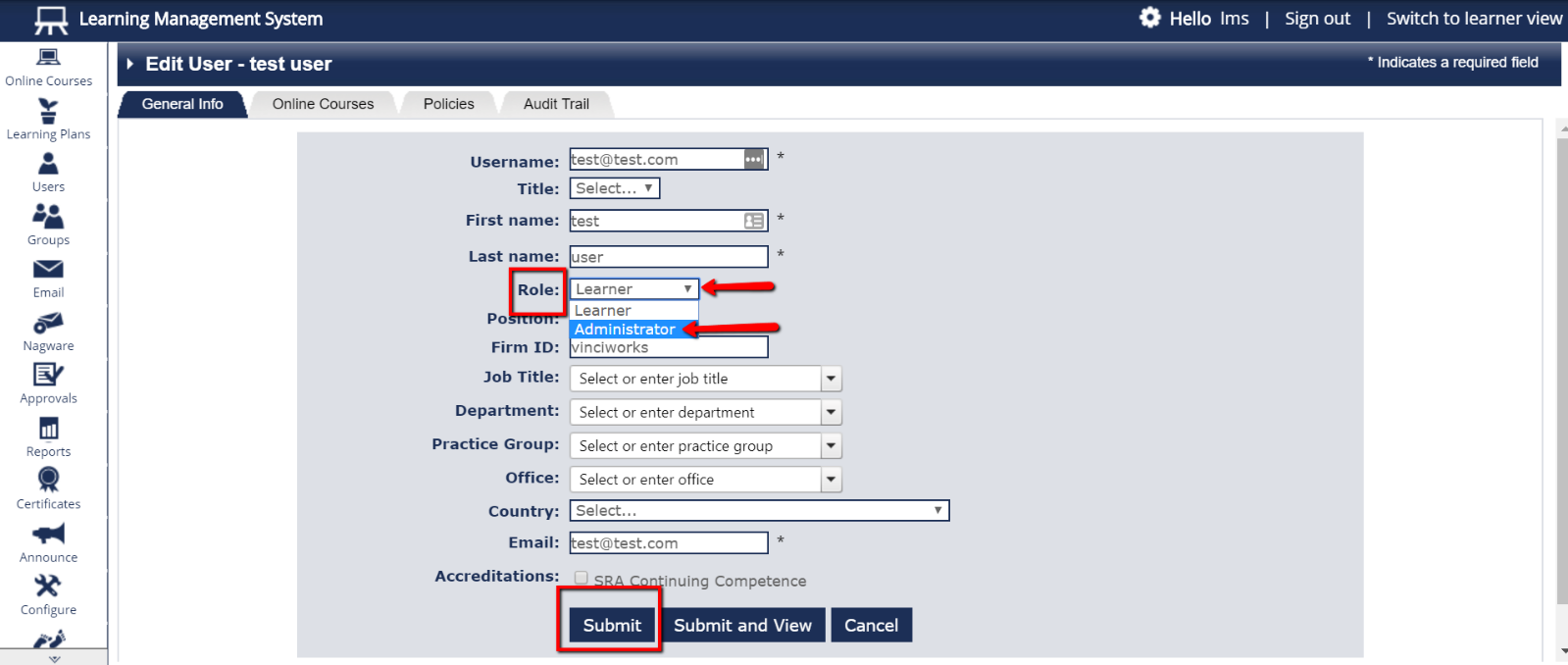
- From the menu on the left side of the page, select “Users” and then choose “List All Users.” Tick next to the user who needs to become a system Administrator. Choose “Edit User” from the “Select An Action” dropdown menu on the upper right, and click “Go”.
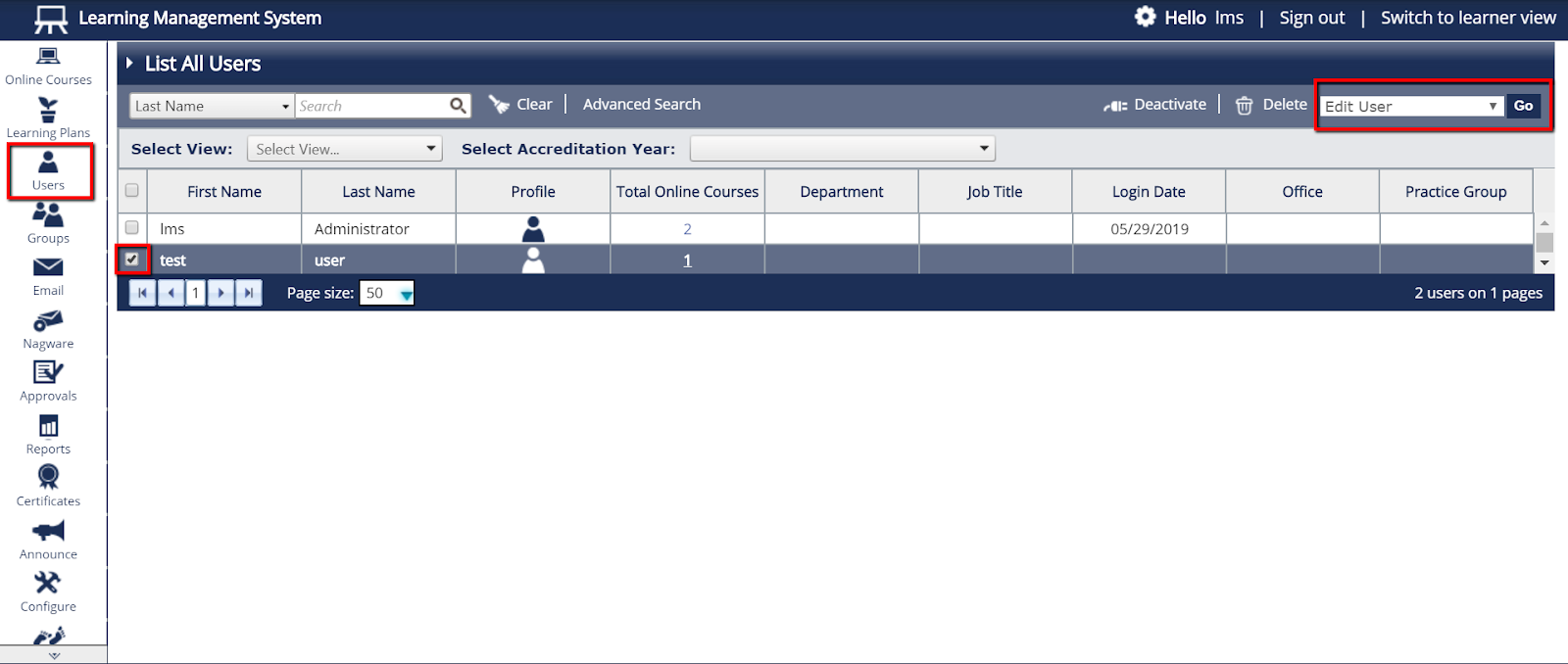
- Click the dropdown menu next to “Role” and change the user from “Learner” to “Administrator”. Don’t forget to click “Submit” at the bottom of the page.