
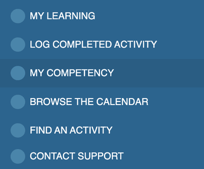
Quick answer: In the menu on the left, select Log Completed Activity, fill in the activity name and date, and click Submit. Then add it to one of your learning needs in My Competency.
Know what to log here
Log training you did outside the VinciWorks LMS, such as:
- Conferences and seminars
- Workshops
- External courses or training
Don't use this for courses in the VinciWorks LMS. Finish those from My Learning, and they're recorded for you.
Log an activity
- In the menu on the left, select Log Completed Activity.
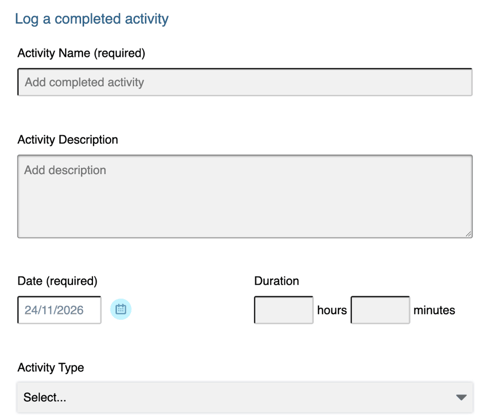
- Fill in the form:
- Activity Name (required): the name of the training
- Activity Description: a short note on what it covered
- Date (required): when you did it (past dates are fine)
- Duration: hours and minutes, if you want to record them
- Activity Type: choose one if your organisation uses them
- Click Submit.
Add it to a learning need
- In the menu on the left, select My Competency.
- Click the learning need the activity helped with.
- Click Select completed activities from a list and choose the activity.
- Click Submit.
Note: Admins can log an activity for a learner from their profile, on the Log a Completed Activity tab.
Something isn't working?
I logged a VinciWorks course but it still shows as not complete
Logging an activity doesn't complete a course in the LMS. Open the course from "My Learning" and finish it there.
I forgot to log something from earlier in the year
Log it now and enter the date you did the training.
Related articles: Using the CCM to reflect, plan and declare